71. Applying a Theme
A custom stylesheet can be stored in the same directory as your document or in a separate directory. Like the default stylesheet, you can have the output document link to your custom stylesheet or embed it.
If the stylesheet is in the same directory as your document, you can apply it when converting your document to HTML from the CLI.
$ asciidoctor -a stylesheet=mystyles.css mysample.adoc
-
Save your custom stylesheet in the same directory as
mysample.adoc -
Call the
asciidoctorprocessor -
Set
-a(--attribute) andstylesheet -
Assign the stylesheet file’s name to the
stylesheetattribute -
Enter your document file’s name.
Alternatively, let’s set the stylesheet attribute in the header of mysample.adoc.
= My First Experience with the Dangers of Documentation
:stylesheet: mystyles.css

In my world, we don't have to worry about mutant, script-injecting warlocks.
No.
We have something far worse.
We're plagued by Wolpertingers.

== Origins

You may not be familiar with these https://en.wikipedia.org/wiki/Wolpertinger[ravenous beasts], but, trust me, they'll eat your shorts and suck the loops from your code.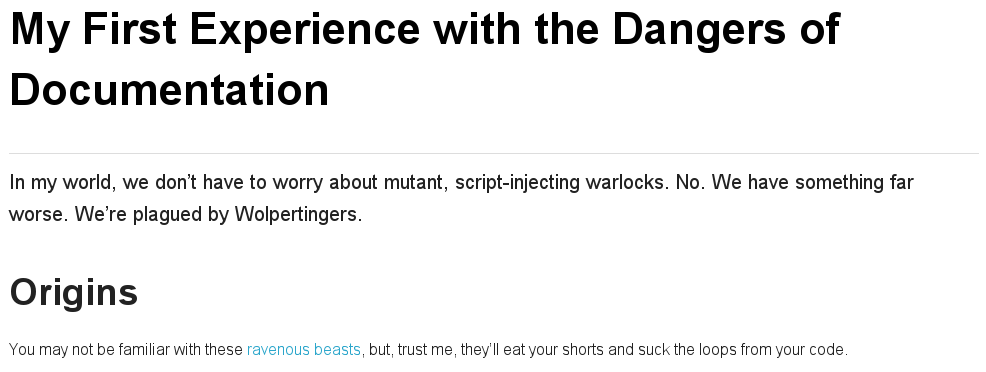
When your document and the stylesheet are stored in different directories, you need to tell Asciidoctor where to look for the stylesheet in relation to your document.
Asciidoctor uses the relative or absolute path you assign to the stylesdir attribute to find the stylesheet.
Let’s move mystyles.css into mydocuments/mystylesheets/.
Our AsciiDoc document, mysample.adoc, is saved in the mydocuments/ directory.
= My First Experience with the Dangers of Documentation
:stylesdir: mystylesheets/
:stylesheet: mystyles.css

In my world, we don't have to worry about mutant, script-injecting warlocks.
No.
We have something far worse.
We're plagued by Wolpertingers.

== Origins

You may not be familiar with these https://en.wikipedia.org/wiki/Wolpertinger[ravenous beasts], but, trust me, they'll eat your shorts and suck the loops from your code.
After processing mysample.adoc, its HTML output (mysample.html), which includes the embedded mystyles.css stylesheet, is created in the mydocuments/ directory.
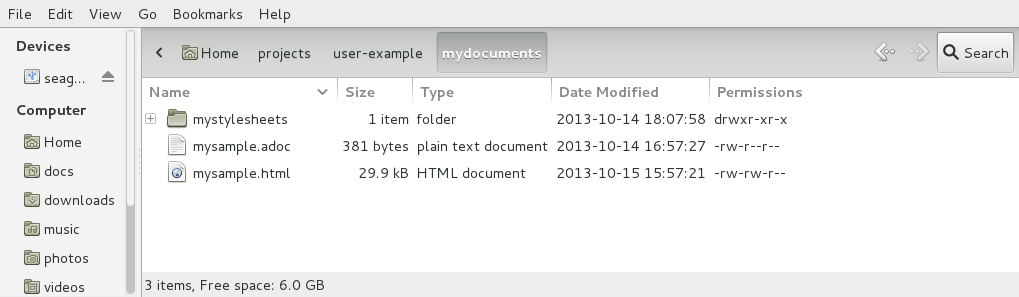
You can also set stylesdir in the CLI.
$ asciidoctor -a stylesdir=mystylesheets/ -a stylesheet=mystyles.css mysample.adoc
If you don’t want to embed the mystyles.css stylesheet into your HTML output, make sure to set linkcss.
= My First Experience with the Dangers of Documentation
:stylesdir: mystylesheets/
:stylesheet: mystyles.css
:linkcss:

In my world, we don't have to worry about mutant, script-injecting warlocks.
No.
We have something far worse.
We're plagued by Wolpertingers.

== Origins

You may not be familiar with these https://en.wikipedia.org/wiki/Wolpertinger[ravenous beasts], but, trust me, they'll eat your shorts and suck the loops from your code.
After your document is converted, notice that a copy of mystyles.css was not created in the mydocuments/ directory.
Unlike when you link to the default Asciidoctor stylesheet, any custom stylesheets you link to are not copied to the directory where your output is saved.