52. Table of Contents
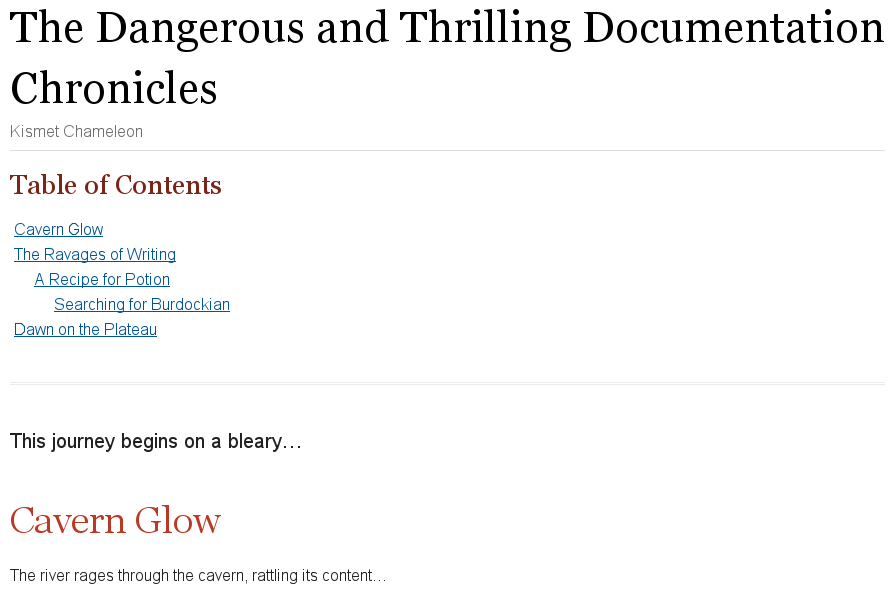
A table of contents (TOC) is an index of section and subsection titles that can be automatically generated from the document’s structure when converting a document with Asciidoctor.
To enable the auto-generated TOC, you must set the toc attribute.
The toc attribute can be specified via the command line (-a toc),
$ asciidoctor -a toc adventure.adocor in the document header (:toc:).
= The Dangerous and Thrilling Documentation Chronicles
Kismet Chameleon
:toc:

This journey begins on a bleary...

== Cavern Glow

The river rages through the cavern, rattling its content...
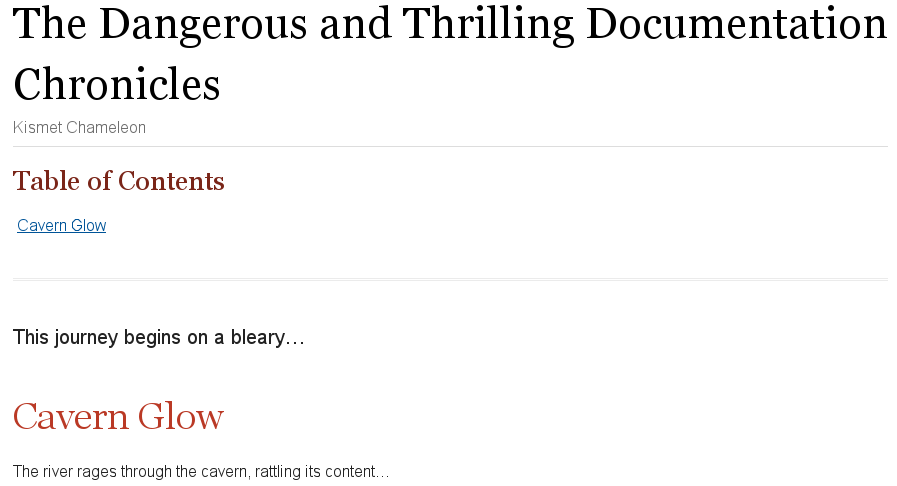
When no other options are specified, the TOC is inserted directly below the document header (document title, author, and revision lines), it has the title Table of Contents, and contains section 1 and section 2 level titles only.
Asciidoctor allows you to customize the layout, placement, and title of the table of contents. However, not all customizations are supported by all converters. See the Table of Contents Summary to find out which customizations are available to each backend.
52.1. In-Document Placement
toc values of auto (the default), preamble, and macro place the TOC in the main document area.
When the value of toc attribute is unspecified or auto, the TOC is inserted directly below the document header (document title, author and revision lines).
When toc is set to preamble, the TOC is placed immediately below the preamble.
When using the preamble placement, the TOC will not appear if your document does not have a preamble.
To fix this problem, just set the toc attribute to an empty value (or auto).
|
To place the TOC anywhere else in the document, set the toc attribute to macro.
Then, put the block toc macro (toc::[]) at the location in the document where you want the TOC to appear.
The toc macro should appear at most once in any document.
If toc is not set to macro, any toc macro in the document will be silently ignored.
= The Dangerous and Thrilling Documentation Chronicles
Kismet Chameleon
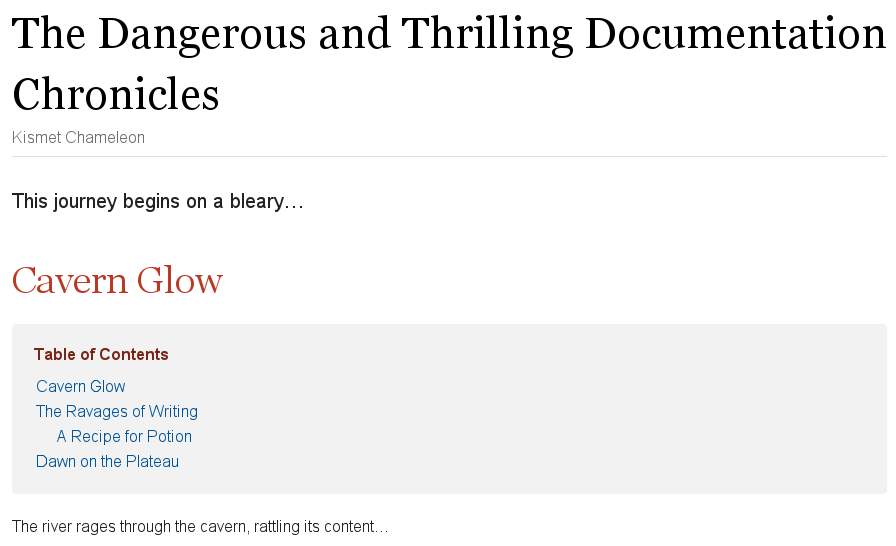
:toc: macro (1)

This journey begins on a bleary...

== Cavern Glow

toc::[] (2)

The river rages through the cavern, rattling its content...| 1 | The toc attribute must be set to macro in order to enable the use of the toc macro. |
| 2 | In this example, the toc macro is placed below the first section’s title, indicating that this is the location where the TOC will be displayed once the document is rendered. |
52.2. Side Column Placement
When converting to HTML, you can position the TOC to the left or right of the main content column by assigning the value left or right to the toc attribute, respectively.
In this case, the sidebar column containing the TOC is both fixed and scrollable.
toc= The Dangerous and Thrilling Documentation Chronicles
Kismet Chameleon
:toc: left
This journey begins on a bleary...
== Cavern Glow
The river rages through the cavern, rattling its content...
== The Ravages of Writing
Her finger socks had been vaporized by crystalline nuggets of...
=== A Recipe for Potion
Two fresh Burdockian leaves, harvested by the light of the teal moons...toc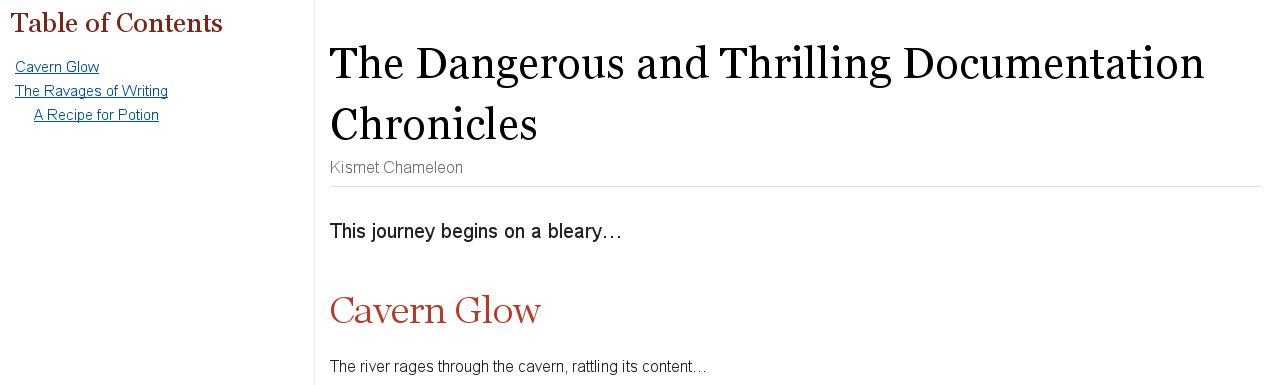
This positioning is achieved using CSS, which means it depends on support from the stylesheet. However, it’s only honored if there’s sufficient room on the screen for a sidebar column. If there isn’t sufficient room available (i.e., the screen width falls below a certain breakpoint), the TOC will automatically shift back to the center, appearing directly below the document title.
The TOC is always placed in the center in an embeddable HTML document, regardless of the value of the toc attribute.
|
52.3. Title
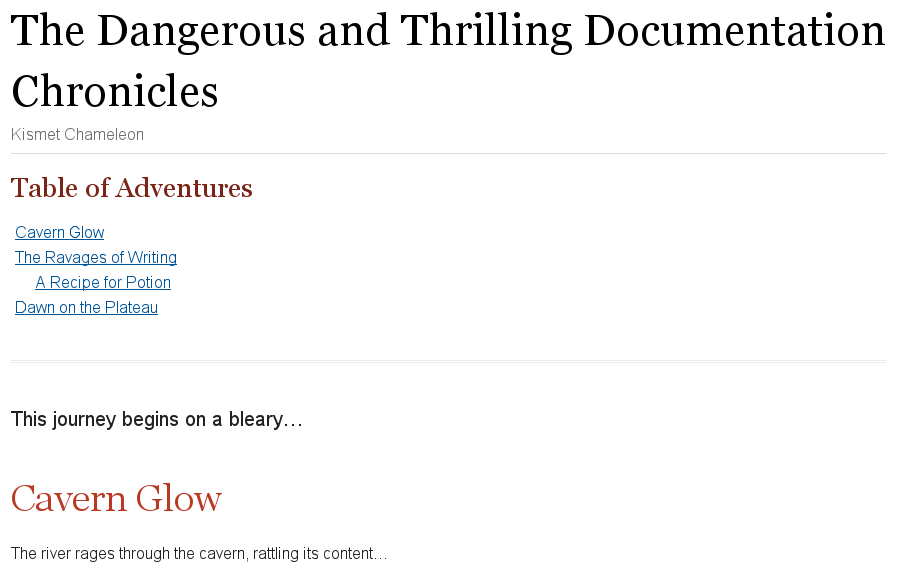
The toc-title attribute allows you to change the title of the TOC.
= The Dangerous and Thrilling Documentation Chronicles
Kismet Chameleon
:toc: (1)
:toc-title: Table of Adventures (2)

This journey begins on a bleary...

== Cavern Glow

The river rages through the cavern, rattling its content...| 1 | The toc attribute must be set in order to use toc-title. |
| 2 | toc-title is set and assigned the value Table of Adventures in the document’s header. |
52.4. Levels
By default, the TOC will display level 1 and level 2 section titles.
You can set a different depth with the toclevels attribute.
= The Dangerous and Thrilling Documentation Chronicles
Kismet Chameleon
:toc: (1)
:toclevels: 4 (2)

This journey begins on a bleary...

== Cavern Glow

The river rages through the cavern, rattling its content...

== The Ravages of Writing

Her finger socks had been vaporized by crystalline nuggets of...

=== A Recipe for Potion

Two fresh Burdockian leaves, harvested by the light of the teal moons...

==== Searching for Burdockian

Crawling through the twisted understory...| 1 | The toc attribute must be set in order to use toclevels. |
| 2 | toclevels is set and assigned the value 4 in the document’s header.
The TOC will list the titles of the section 1, 2, 3, and 4 levels when the document is rendered. |
52.5. Using a TOC with Embeddable HTML
When AsciiDoc is converted to embeddable HTML (i.e., the header_footer option is false), there are only three valid values for the toc attribute:
-
auto (or unspecified value)
-
preamble
-
macro
All of the following environments convert AsciiDoc to embeddable HTML:
-
the file viewer on GitHub and GitLab
-
the AsciiDoc preview in an editor like Atom, Brackets or AsciidocFX
-
the Asciidoctor browser extensions
| The side column placement (left or right) isn’t available in this mode. That’s because the embeddable HTML doesn’t have the outer framing (or the CSS) necessary to support a side column TOC. |
52.6. Table of Contents Summary
| Attribute | Values | Example Syntax | Comments | Backends |
|---|---|---|---|---|
|
auto, left, right, macro, preamble |
|
Not set by default.
Defaults to |
html |
|
|
Not set by default.
Defaults to |
html (embeddable) |
|
|
|
Not set by default. The table of contents is placed after the title page (See issue #233 for developments). |
||
|
|
Not set by default. The placement and styling of the table of contents is determined by the DocBook toolchain configuration. |
docbook |
|
|
1–5 |
|
Default value is |
html, pdf |
|
<text> |
|
Default value is Table of Contents. |
html, pdf |