63. HTML
Asciidoctor’s default output format is HTML.
html5-
HTML 5 markup styled with CSS3.
63.1. Using the Command Line
In this section, we’ll create a sample document, then process and convert it with Asciidoctor’s html5 converter.
-
Create an AsciiDoc file like the one below
-
Save the file as mysample.adoc
= My First Experience with the Dangers of Documentation

In my world, we don't have to worry about mutant, script-injecting warlocks.
No.
We have something far worse.
We're plagued by Wolpertingers.

== Origins

You may not be familiar with these https://en.wikipedia.org/wiki/Wolpertinger[ravenous beasts], but, trust me, they'll eat your shorts and suck the loops from your code.
To convert mysample.adoc to HTML from the command line:
-
Open a console
-
Switch to the directory that contains the mysample.adoc document
-
Call the Asciidoctor processor with the
asciidoctorcommand, followed by the name of the document you want to convert
$ asciidoctor mysample.adoc
Remember, Asciidoctor’s default converter is html5, so it isn’t necessary to specify it with the -b command.
You won’t see any messages printed to the console.
If you type ls or view the directory in a file manager, there is a new file named mysample.html.
$ ls
mysample.adoc  mysample.html
Asciidoctor derives the name of the output document from the name of the input document.
Open mysample.html in your web browser. Your document should look like the image below.
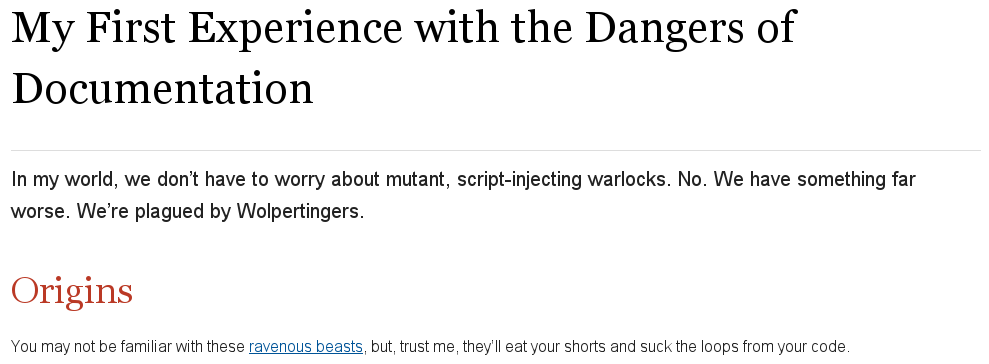
The document’s text, titles, and link is styled by the default Asciidoctor stylesheet, which is embedded in the HTML output. As a result, you could save mysample.html to any computer and it will look the same.
63.2. Using the Ruby API
Asciidoctor also includes a Ruby API that lets you generate an HTML document directly from a Ruby application.
require 'asciidoctor'

Asciidoctor.convert_file 'mysample.adoc'
Alternatively, you can capture the HTML output in a variable instead of writing it to a file.
html = Asciidoctor.convert_file 'mysample.adoc', to_file: false, header_footer: true
puts html
The convert methods also accept a map of options. Use of this map is described in Ruby API Options.
63.3. Styling the HTML with CSS
Asciidoctor uses CSS for HTML document styling and JavaScript for generating document attributes such as a table of contents and footnotes.
It comes bundled with a stylesheet, named asciidoctor.css.
When you generate a document with the html5 backend, the asciidoctor.css stylesheet is embedded into the HTML output by default (when the safe mode is less than SECURE).
You have the option of linking to the stylesheet instead of embedding it.
This is the mandatory behavior when the safe mode is SECURE.
If your stylesheet is being linked when you expect it to be embedded, lower the safe mode (safe is the recommend value).
To have your document link to the stylesheet, set the linkcss attribute in the document’s header.
= My First Experience with the Dangers of Documentation
:linkcss:

In my world, we don't have to worry about mutant, script-injecting warlocks.
No.
We have something far worse.
We're plagued by Wolpertingers.

== Origins

You may not be familiar with these https://en.wikipedia.org/wiki/Wolpertinger[ravenous beasts], but, trust me, they'll eat your shorts and suck the loops from your code.
You can also set linkcss with the CLI.
$ asciidoctor -a linkcss mysample.adoc
Now, when you view the directory, you should see the file asciidoctor.css in addition to mysample.adoc and mysample.html.
The linkcss attribute automatically copies asciidoctor.css to the output directory.
Additionally, you can inspect mysample.html in your browser and see <link rel="stylesheet" href="./asciidoctor.css"> inside the <head> tags.
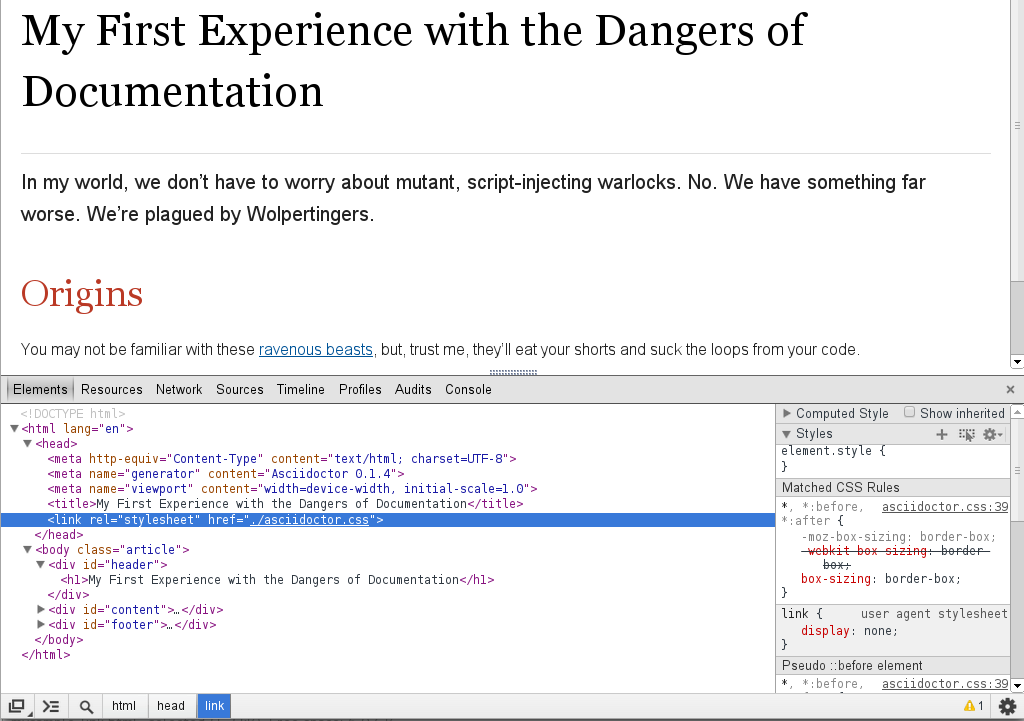
If you don’t want any styles applied to the HTML output of your document, unset the stylesheet attribute.
$ asciidoctor -a stylesheet! mysample.adoc
One of Asciidoctor’s strengths is the ease in which you can swap the default stylesheet for an alternative Asciidoctor theme or use your own custom stylesheet.
63.4. Managing Images
Images are not embedded in the HTML output by default. If you have image references in your document, you’ll have to save the image files in the same directory as your converted document.
As an alternative, you can embed the images directly into the document by setting the data-uri document attribute.
$ asciidoctor -a data-uri mysample.adoc
= My First Experience with the Dangers of Documentation
:imagesdir: myimages
:data-uri:

In my world, we don't have to worry about mutant, script-injecting warlocks.
No.
We have something far worse.
We're plagued by Wolpertingers.

== Origins

[.left.text-center]
image::wolpertinger.jpg[Wolpertinger]

You may not be familiar with these https://en.wikipedia.org/wiki/Wolpertinger[ravenous beasts], but, trust me, they'll eat your shorts and suck the loops from your code.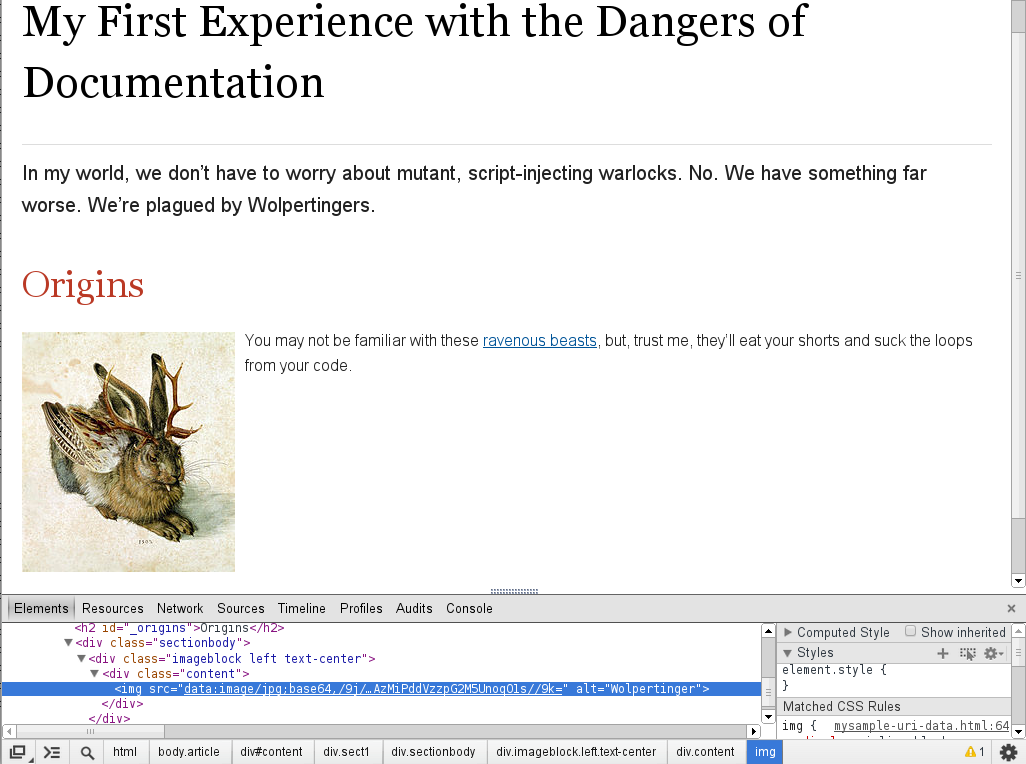
If the target of one or more images in the document is a URI, you must also set the allow-uri-read attribute securely and run Asciidoctor in SECURE mode or less.
$ asciidoctor -a data-uri -a allow-uri-read mysample.adoc
The same is true when converting the document to PDF using Asciidoctor PDF, even if the allow-uri-read attribute is not set (since the behavior is implied).
63.5. CodeRay and Pygments Stylesheets
Asciidoctor will also embed the theme stylesheet for the CodeRay or Pygments syntax highlighter.
If the source-highlighter attribute is coderay and the coderay-css attribute is class, the CodeRay stylesheet is:
-
embedded by default
-
copied to the file asciidoctor-coderay.css inside the
stylesdirfolder within the output directory iflinkcssis set
If the source-highlighter attribute is pygments and the pygments-css attribute is class, the Pygments stylesheet is:
-
embedded by default
-
copied to the file asciidoctor-pygments.css inside the
stylesdirfolder within the output directory iflinkcssis set